


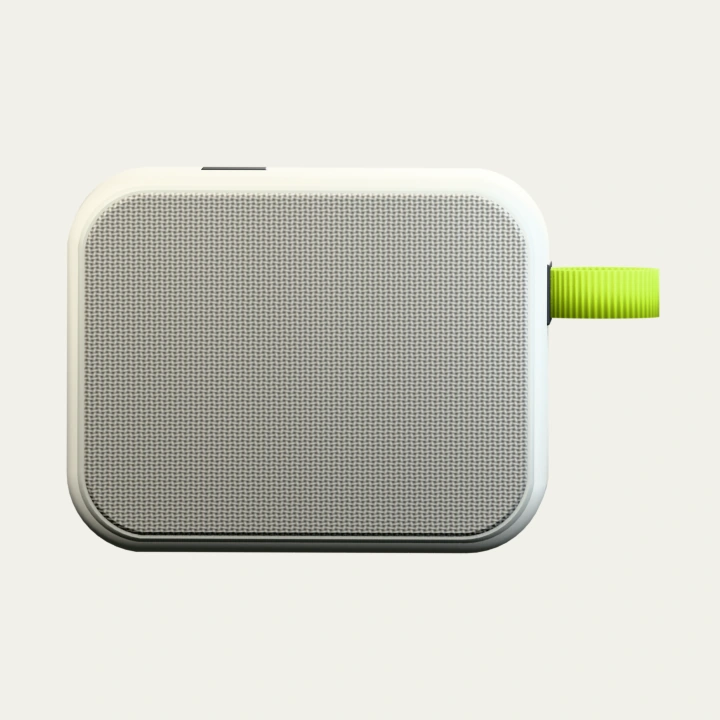
Stocked-unit preparation
2 business daysAfter a reviewed sample order is confirmed. The dispatch estimate is not a guaranteed arrival date.GREY CREEK / DEVELOPMENT SHELF
BUILT TO WORK.
Three business systems.
Explore the whole flow.
Order Desk
Check stock, resolve exceptions and carry a reviewed quote into an operational plan.
Sales operations · Distribution · Order managementCommerce Desk
Shape a product record into editable language and channel drafts, then review the complete pack.
Product content · Merchant tools · LocalizationKnowledge Desk
Explore sample company knowledge, open the exact evidence and prepare a clear handoff.
Internal knowledge · Support operations · Team enablementA COMPLETE PATH, IN EACH STUDY
Change an input. Check the result. Review it, then take the work with you.
Open a desk’s Demo Guide for a walkthrough, questions to ask and an editable project scope draft.
DEMO GUIDEShow the flow. Shape a project.
DESIGN & DEVELOPMENT CAPABILITY
We design connected workflows for requests, stock checks, quotes, approvals and fulfilment.
Sales operations · Distribution · Order management
Prepared study · No live AI or external business actions01 / DEMONSTRATE
A path you can show.
- 01
Start with a request
Choose Stock ready, then PREPARE QUOTE.
- 02
Check the commitment
Review 12 units, USD 3,945.00 excluding tax, and planned arrival on 4 Nov 2026.
- 03
Review before confirming
Check the quantities, totals and dates, then choose CONFIRM SIMULATED ORDER.
- 04
Follow the handoff
Simulate allocation, dispatch and delivery.
- 05
Keep the result
Choose DOWNLOAD BRIEF for the reviewed figures, delivery plan and simulated progress.
SHOW THE EXCEPTION
Choose Date conflict and Split the delivery: the later final arrival needs explicit acceptance before a quote can be prepared.
CURRENT DEMO OUTPUTS
- Reviewed sample quote
- Dated delivery plan
- Simulated fulfilment brief
Fixed planning day: 2 Nov 2026. Fictional stock and USD prices; no actual order, payment or shipment.
02 / SHAPE THE SCOPE
Start with one workflow.
Keep the task, source and first useful outcome together. This is a draft for discussion.
Ask before scoping
- Where are product prices, stock and incoming deliveries maintained?
- Who approves discounts, delivery dates and split shipments?
- What should move into the next order or fulfilment system?
Notes stay in this tab until reload. Export to keep them. Connections, permissions, cost and timing remain to be agreed.
Describe the current workflow before exporting a scope draft.
ORDER DESK / FICTIONAL OPERATIONS STUDY
From request
to delivery.
One clear view of the next commitment.
- 01Request
- 02Quote
- 03Order
- 04Delivery
01 / INCOMING REQUEST
EDITABLE SAMPLEWhat does the buyer need?
RFQ N-104 / Fictional purchasing request: 12 M-01 units, requested arrival 6 Nov 2026.
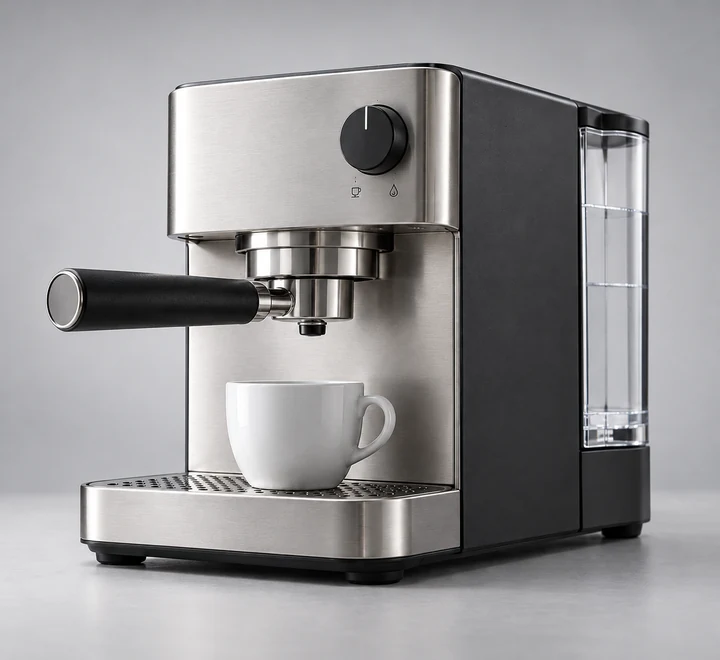 M01-GR
PREPARED SUPPLY / USD
M-01 coffee machine
18unitsON HAND
72unitsINCOMING / 10 NOV
$325.00 / unit ·5% discount from 24 units.
Freight $45.00 per shipment. Taxes excluded.
02 / DELIVERY OUTLOOK
WITHIN REQUESTA clear arrival window.
BATCH 0112units
PLANNED ARRIVAL04 Nov
Two calendar days from dispatch. The second batch depends on the prepared 10 Nov arrival; this study does not check a supplier or carrier.
03 / HUMAN REVIEW
AWAITING QUOTEThe numbers, ready to check.
Prepare the current request to see its quantities, volume pricing, freight and delivery commitment together.
Fictional procurement study · Prepared rules and sample supply · No live AI, real quote, order, stock reservation, payment or external message.
DEMO GUIDEShow the flow. Shape a project.
DESIGN & DEVELOPMENT CAPABILITY
We design product-content workflows that connect source records, language and channel drafts, editing, review and export.
EC operations · Product content · International marketing
Prepared study · No live AI or external business actions01 / DEMONSTRATE
A path you can show.
- 01
Change the source
Choose Chalk. The previous preview, review and export become unavailable.
- 02
Build the pack
Choose BUILD SIX DRAFTS from the current product record.
- 03
Compare the formats
Switch between English, Japanese and Chinese, then Product page and Social card.
- 04
Refine the wording
Choose Edit this draft and make a manual change.
- 05
Review and take away
Check all six current drafts, then choose TEXT PACK or EXPORT JSON.
SHOW THE EXCEPTION
Rebuilding manually edited drafts requires explicit overwrite confirmation. Custom English notes need human localization for Japanese and Chinese.
CURRENT DEMO OUTPUTS
- Three product-page drafts
- Three social-card drafts
- Reviewed JSON or text pack
Prepared templates and fictional product information. No live writing, translation, checkout or external publishing.
02 / SHAPE THE SCOPE
Start with one workflow.
Keep the task, source and first useful outcome together. This is a draft for discussion.
Ask before scoping
- Which product record, languages and channels should the workflow use?
- Who checks terminology, product claims and image rights?
- Which file format or publishing system needs the approved content?
Notes stay in this tab until reload. Export to keep them. Connections, permissions, cost and timing remain to be agreed.
Describe the current workflow before exporting a scope draft.
01
Product sourceONE RECORD
02
Channel drafts3 LANGUAGES × 2 FORMATS
03
Review & exportYOUR FINAL SAY
02 / CHANNEL WORKSPACE
One source.
Six considered drafts.
STOREFRONT / PREVIEWEN
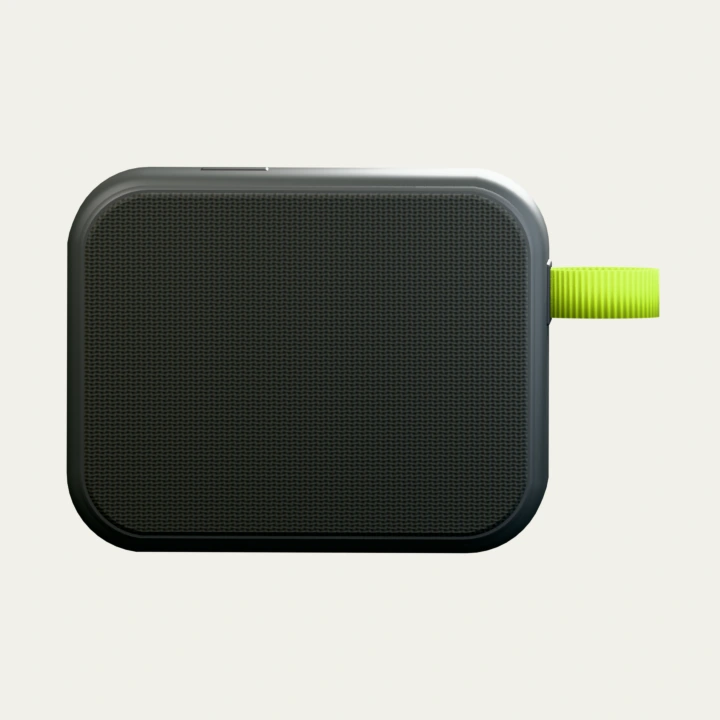 FORM / Q—01
FORM / PRODUCT STORY
FORM Q-01
A fictional portable speaker.
Graphite / Dark woven-texture front. A quiet metallic edge.
A considered object for everyday listening.
$129.00 USD / sample price
Sample catalog: preview only
Explore FORMEdit wording & check localization
03 / HUMAN REVIEW
Check the pack. Keep control.
Check every language and format, source details and sample price before marking the pack reviewed.
Review required to export
Prepared sample loaded. Change the source, build drafts, then review and export.
Fictional product and catalog data. Appearance notes describe prepared imagery. No real availability, technical specification, live AI, translation service, checkout or external publishing. Changes stay in this page until reload; export a reviewed pack to keep it.
DEMO GUIDEShow the flow. Shape a project.
DESIGN & DEVELOPMENT CAPABILITY
We design knowledge workflows that connect answers to their sources and carry unresolved questions into a clear human handoff.
Internal support · Customer operations · Team enablement
Prepared study · No live AI or external business actions01 / DEMONSTRATE
A path you can show.
- 01
Ask a prepared question
Choose An unanswered detail, then Find prepared answer.
- 02
See the boundary
Overseas delivery needs a manual quote; the import-tax question remains unresolved.
- 03
Open the evidence
Inspect Delivery playbook / D-02, revision 2026-10-20 / r1.
- 04
Check the next action
Review the evidence, unresolved points and Human next action.
- 05
Prepare the handoff
Choose Export reviewed handoff or Copy.
SHOW THE EXCEPTION
Deselect the Delivery playbook: the previous answer, next action and review are cleared.
CURRENT DEMO OUTPUTS
- Source-linked sample answer
- Explicit unresolved questions
- Reviewed handoff text
Prepared fictional policies and limited English question rules. No live AI, arbitrary document search or document upload.
02 / SHAPE THE SCOPE
Start with one workflow.
Keep the task, source and first useful outcome together. This is a draft for discussion.
Ask before scoping
- Which documents are authoritative, and who maintains them?
- Who may access each source, and what must stay unanswered?
- Who receives unresolved questions, and what should the handoff contain?
Notes stay in this tab until reload. Export to keep them. Connections, permissions, cost and timing remain to be agreed.
Describe the current workflow before exporting a scope draft.
EVIDENCE BEFORE AN ANSWER
Know where
the answer comes from.
Ask a prepared question, inspect the source, then hand over a reviewed brief.
3 sources selected1 sections citedHuman review
02 / QUESTION
Start with a question.
Explicit English question rules. Unmatched wording stays unresolved; no live AI or document upload.
03 / ANSWER & GAPS
SOURCE MATCHEDGrounded in the selected sources.
05 / A USEFUL HANDOVER
Keep the question.
Carry the evidence.
The pack keeps the exact question, selected document versions, cited sections and unanswered points.
Review is required before export.